
Endpoints and Models
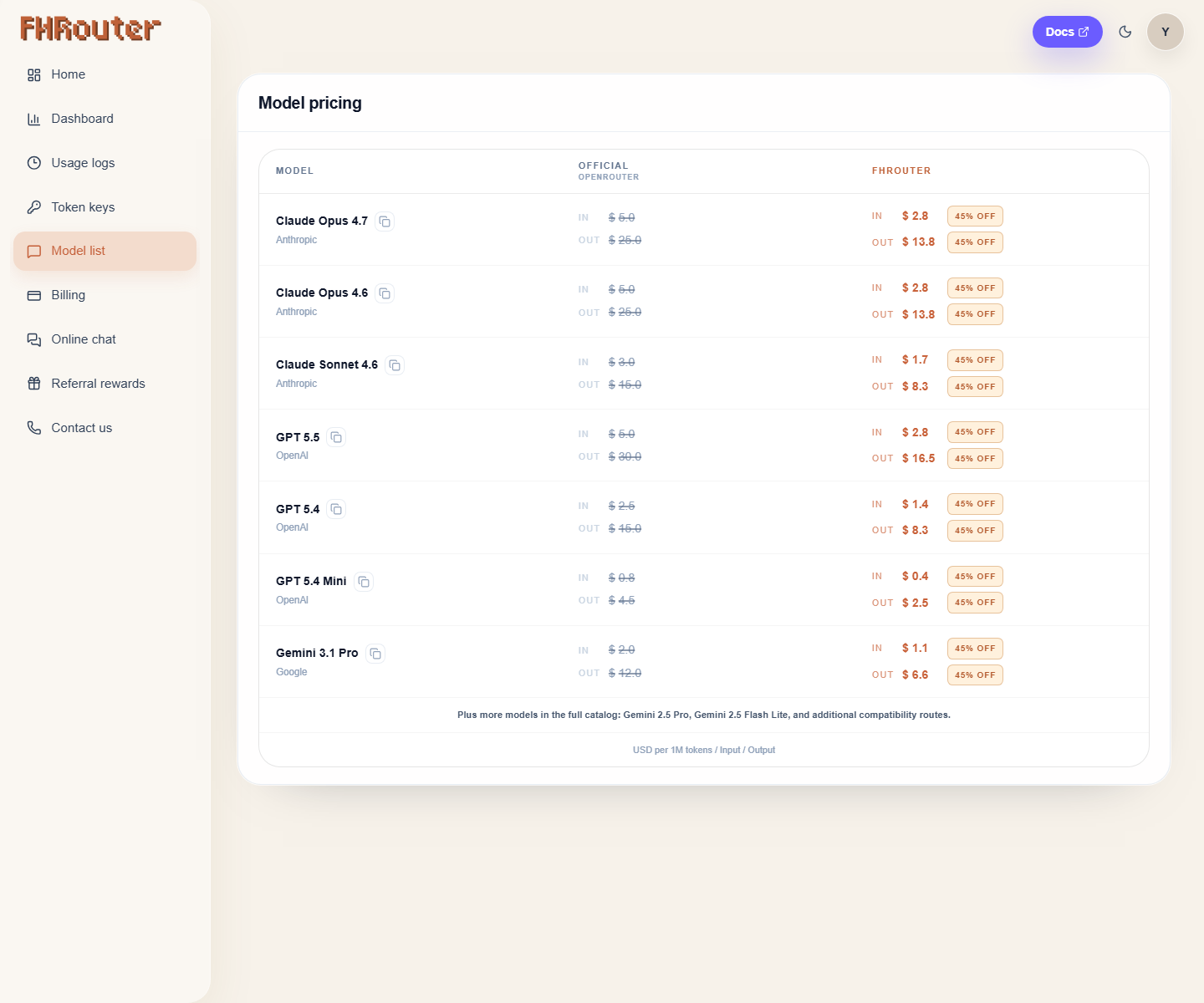
Open the model list
- Go to the dashboard and click
Model listin the left sidebar. - Use the page to view the currently enabled model names.
- Copy the model id exactly as shown.
Which base URL should I use?
| Use case | Base URL |
|---|---|
| Claude Code and Anthropic-native clients | https://api.fhrouter.com |
| OpenAI-compatible clients | https://api.fhrouter.com/v1 |
| Codex CLI | https://api.fhrouter.com/v1 |
| Gemini CLI and Antigravity | https://api.fhrouter.com/v1beta |
How to Check Model Names by API
curl https://api.fhrouter.com/v1/models \
  -H "Authorization: Bearer YOUR_FHROUTER_API_KEY"
Current Public Model Ids
| Family | Model id |
|---|---|
| Claude | claude-sonnet-4-6 |
| Claude | claude-opus-4-6 |
| Claude | claude-opus-4-7 |
| Claude | claude-opus-4-8 |
| GPT/Codex | gpt-5.4-mini |
| GPT/Codex | gpt-5.4 |
| GPT/Codex | gpt-5.5 |
| Gemini | gemini-2.5-pro |
| Gemini | gemini-3.1-pro-preview |
gemini-2.5-flash-lite is also enabled as a Gemini CLI compatibility route.
The live dashboard is the source of truth if the public list changes after a model refresh.
Curl Command Reference
GPT / Codex
curl https://api.fhrouter.com/v1/responses \
  -H "Content-Type: application/json" \
  -H "Authorization: Bearer YOUR_FHROUTER_API_KEY" \
  -d '{
    "model": "gpt-5.5",
    "input": "Hello"
  }'
Claude
curl https://api.fhrouter.com/v1/messages \
  -H "Content-Type: application/json" \
  -H "x-api-key: YOUR_FHROUTER_API_KEY" \
  -d '{
    "model": "claude-sonnet-4-6",
    "messages": [
      {
        "role": "user",
        "content": "Hello"
      }
    ],
    "max_tokens": 1024
  }'
Gemini
curl "https://api.fhrouter.com/v1beta/models/gemini-3.1-pro-preview:generateContent" \
  -H "Content-Type: application/json" \
  -H "x-goog-api-key: YOUR_FHROUTER_API_KEY" \
  -d '{
    "contents": [
      {
        "role": "user",
        "parts": [
          {
            "text": "Hello"
          }
        ]
      }
    ]
  }'