Codex Setup
1. Install Codex
If you have not installed Codex App yet, download it here:
https://developers.openai.com/codex/quickstart?setup=app
Codex App also reads from the same local Codex configuration after setup.
If you use VS Code, install the official extension from:
https://marketplace.visualstudio.com/items?itemName=openai.chatgpt
The extension uses the same FHRouter Codex settings as the CLI after you configure your local Codex folder.
If you use the command-line version, install it with:
npm i -g @openai/codex@latestCodex CLI package URL:
https://www.npmjs.com/package/@openai/codex
FH Switch for the next steps for 1 click setup, or continue below.
Go to FH Switch if you want the desktop 1 click setup flow. Otherwise continue with the manual steps below.
2. Find the Codex configuration folder
First, open your terminal, whether you are on Windows or macOS.
Then run the command for your system to open the Codex configuration folder.
CMD:
start "" "%USERPROFILE%\.codex"open "$HOME/.codex"mkdir -p "$HOME/.codex"
cd "$HOME/.codex"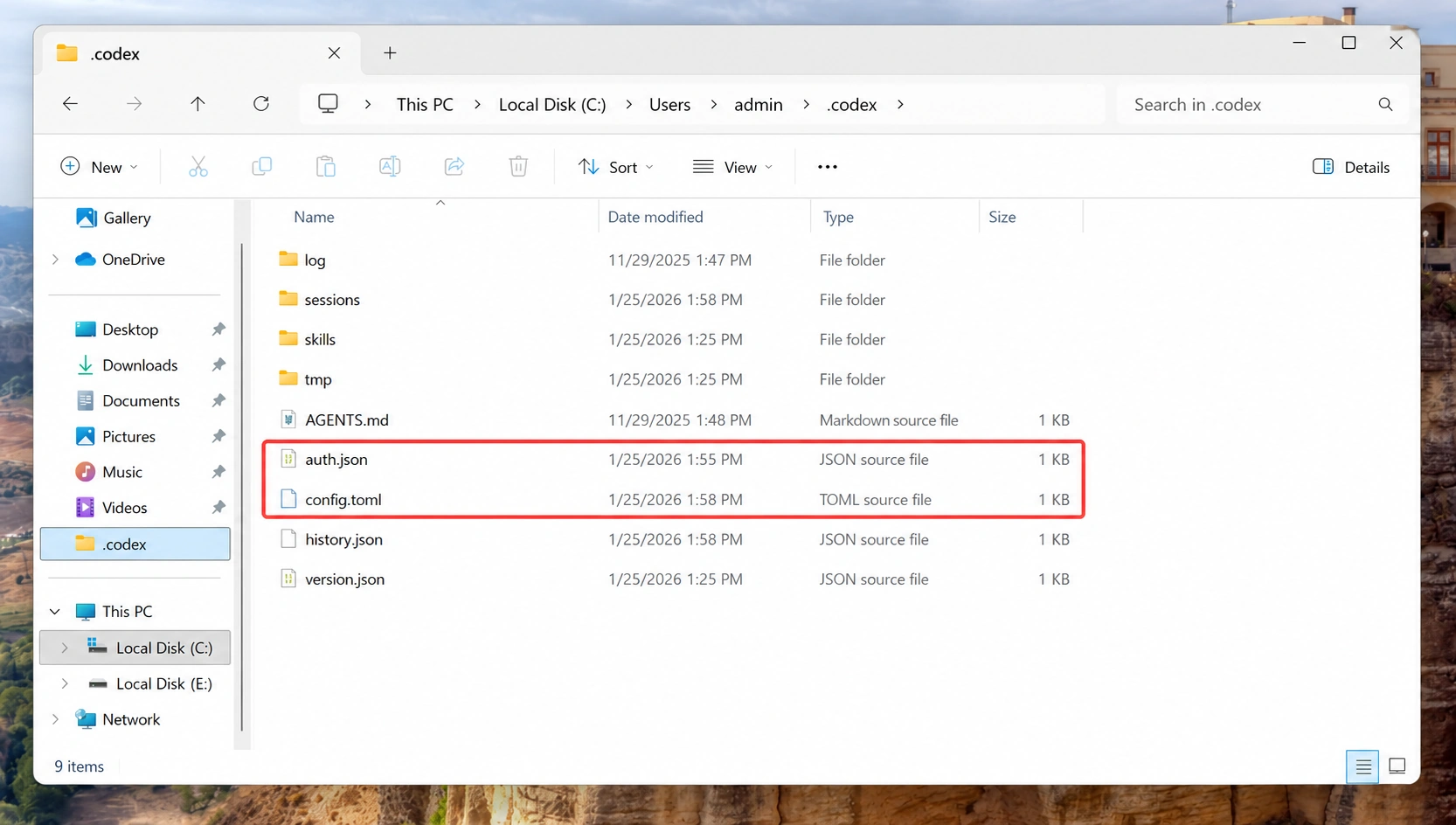
3. Manually create config.toml and auth.json, then add the following content
model_provider = "fhrouter"
model = "gpt-5.5"
model_reasoning_effort = "xhigh"
network_access = "enabled"
disable_response_storage = true
windows_wsl_setup_acknowledged = true
model_verbosity = "high"

[model_providers.fhrouter]
name = "fhrouter"
base_url = "https://api.fhrouter.com/v1"
wire_api = "responses"
requires_openai_auth = true{
"OPENAI_API_KEY": ""
}4. Enter the ApiKey generated in the dashboard in OPENAI_API_KEY inside auth.json, then save the file
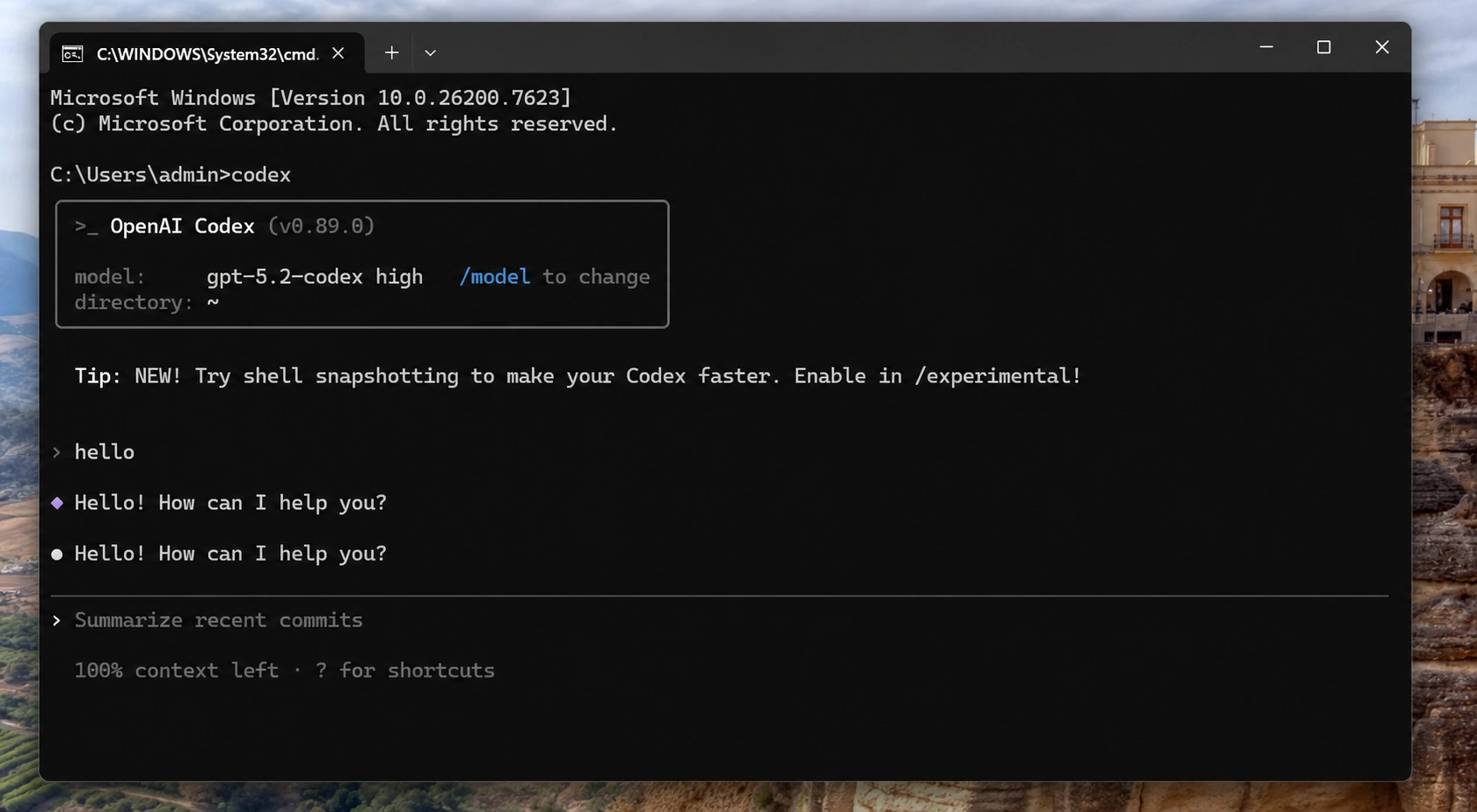
5. Run codex in the terminal and start a conversation to check whether setup succeeded
CLI Model Reminder
- After the CLI starts, avoid switching models inside the conversation.
- If you already switched models, restart with a command like:
codex -m gpt-5.5 -c model_reasoning_effort="xhigh"Configuration Reload Reminder
- Every time you modify
config.tomlorauth.json, restartcodexfor the change to take effect. - This configuration also applies to the VS Code extension version of Codex and to Codex App.