
3. Add balance
Open Billing
After signing in, open Billing in the left sidebar.
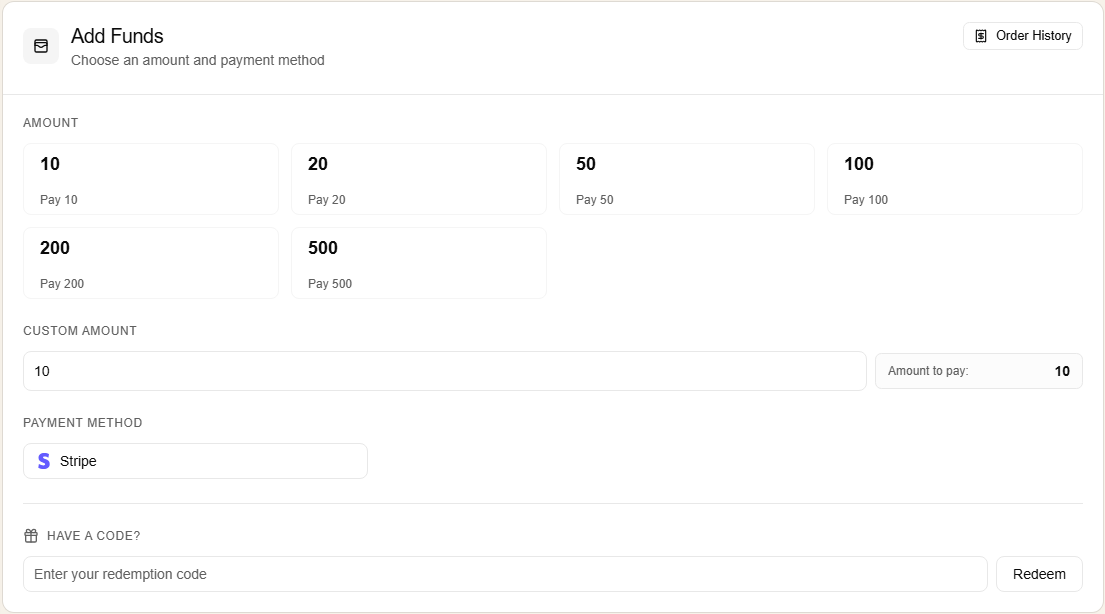
Choose an amount
- pick one of the preset amounts, or type a custom amount
- keep
Stripeas the payment method - continue to checkout
For a first test, use a small payment and confirm the full flow before adding more.
Complete payment
After Stripe succeeds, let the browser return to FHRouter. The wallet page should refresh with the new balance.
FHRouter uses USD billing.
Check pricing
The public pricing page is:
https://fhrouter.com/modelsThat page shows:
- the current reference price
- the FHRouter selling price
- the current discount badge
If payment looks stuck
If Stripe succeeds but the wallet page still looks pending:
- wait for the redirect back to FHRouter
- refresh the billing page once
- check
Order History
If payment succeeded but the balance still does not update after a few minutes, note:
- the account email
- the payment amount
- the approximate payment time
Those details are usually enough to trace the delayed balance update against the account billing records.
Next step
Continue to 4. Create an API key.